Introduction
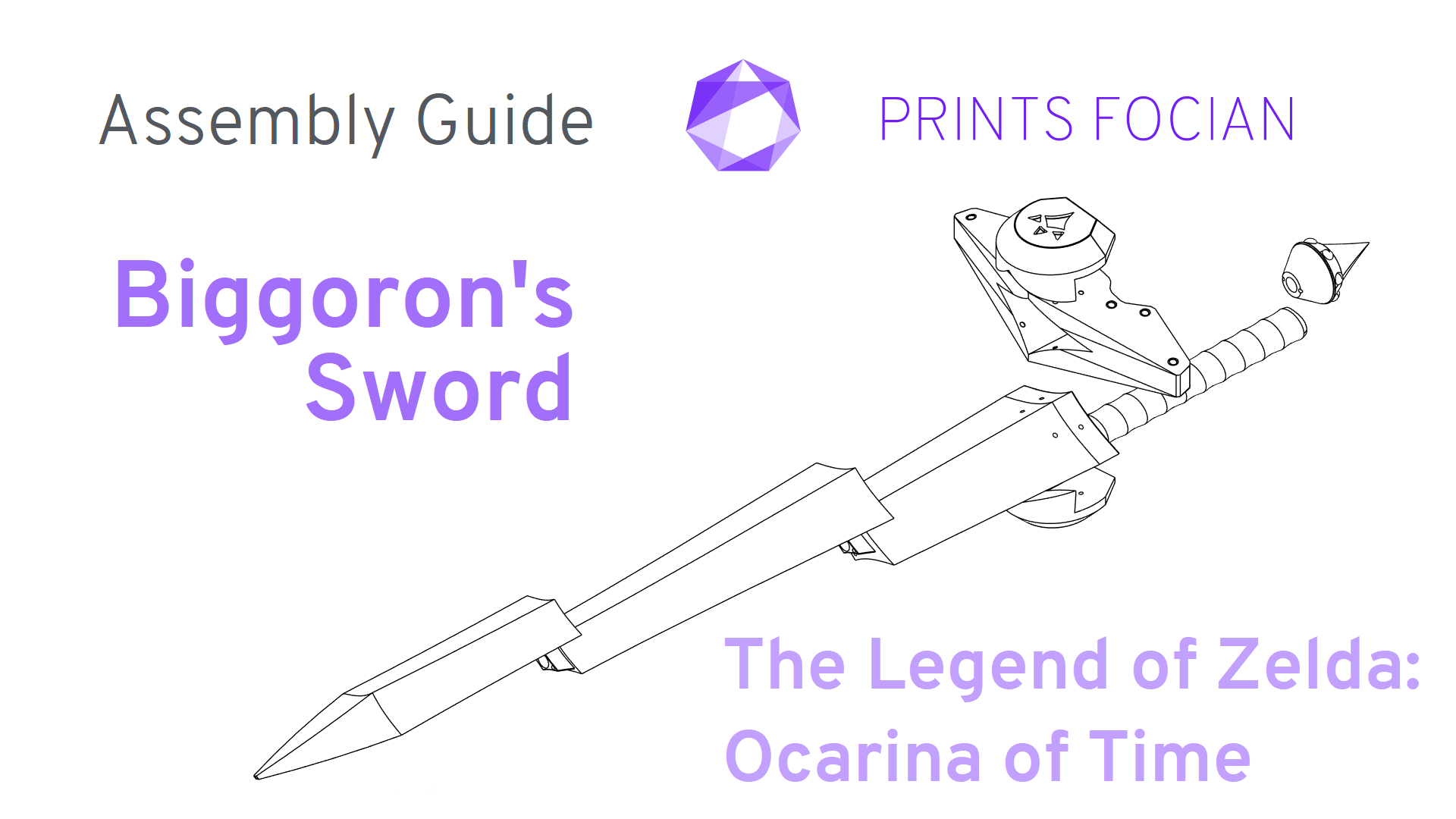
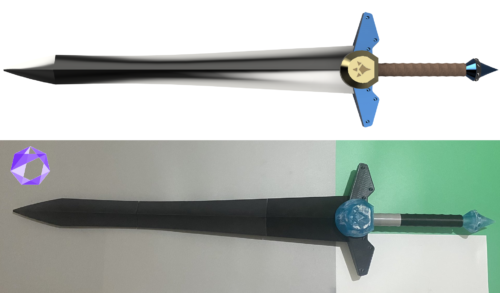
Welcome! This is the Assembly Guide for Biggoron’s Sword from The Legend of Zelda: Ocarina of Time. This item is completely unofficial and fan-made, designed for 3D Printing.
Whether you’re assembling a Raw Build kit or Printing It Yourself, this guide is meant to help you get the most out of what you’re working with. It doesn’t cover every step in detail, but provides guidance to support your own build approach.
Introduction
-
Links to Build
-
Links to Buy
- Difficulty rating
Raw Build Information
-
Raw Build contents
-
Raw Build support rods information
Print It Yourself Information
-
Print It Yourself STL file list
-
Print It Yourself support rod details
-
Licence information
Build and Assembly Information
-
Unique build notes
-
Assembly tips and breakdowns
Links to Builds:
- Overview – An introduction to the project
- Prototype/Final – A full text and image build of a project (Coming Soon…ish)
Links to Buy:
Print It Yourself:
- Etsy
- Cults 3D
Raw Build:
- Coming Soon!
Difficulty
- Easy – An exceptionally easy project, most or all of the parts assemble in a very obvious manner. You’ll have difficulty going wrong on this project. Accessible to all build enthusiasts!
- Normal – This will mostly be a straightforward project. Some of the finer details may need to be checked against this Assembly Guide, but most build enthusiasts should have no issue creating a great-looking finished model.
- Heroic – This will have a fair few tricky moments. It will need more care and attention to get the best out of it when compared to easier models. I would not recommend this for a first project as the difficulty could be frustrating.
- Legendary – I do not recommend purchasing a piece of work that I have deemed as Legendary Difficulty unless you are an experienced builder or maker. Projects of this nature will need a lot of work, time and patience to complete. Technical knowledge about the material used will help, as will a versatile toolkit.


Raw Build Information
Raw Build Contents:
[When the first Raw Build kit is made and ready to purchase, this section will be expanded upon.]
Raw Build Support Rods
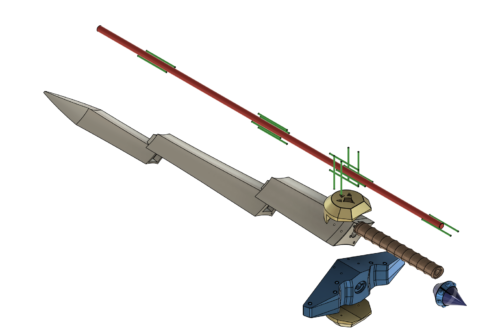
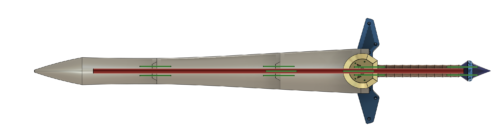
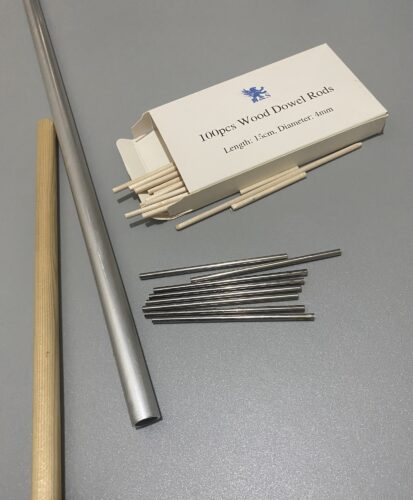
The primary support rod (the long red one) is not included. As its length limits postage, these are best sourced locally.
The support rods recommended for the Raw Build versions are:
- One Red: 16mm * 1200mm
- Sixteen Green: 4mm * 100mm
Print It Yourself Information
Purchase of the Print It Yourself version will allow you to print the design, and you’ll also receive a BY-NC-ND 4.0 licence for the files.
Print It Yourself STL File List:
The following components with their respective [FILE_NAME] will be instantly available for download upon purchase:
- The pommel at the bottom of the handle [ZBG_PIY_POMMEL]
- The shaft of the handle [ZBG_PIY_HANDLE]
- The central part of the large hilt [ZBG_PIY_HILT_MAIN]
- Left part of the hilt [ZBG_PIY_HILT_L]
- Right part of the hilt [ZBG_PIY_HILT_R]
- The stud for the recesses on the hilt [ZBG_PIY_STUD]
- The Goron Crest plates [ZBG_PIY_CREST]
- First part of the blade [ZBG_PIY_BLADE_1]
- Second part of the blade [ZBG_PIY_BLADE_2]
- Third part of the blade [ZBG_PIY_BLADE_3]
- Fourth part of the blade [ZBG_PIY_BLADE_4]
- Fifth part of the blade [ZBG_PIY_BLADE_5]
- The tip of the blade [ZBG_PIY_BLADE_6]
- The broken blade [ZBG_BROKEN_BLADE]
- The complete item as one piece [ZBG_MASTER]
- Non-Commercial Licence [ZBG BY-NC-ND 4.0]
Print It Yourself Support Rods
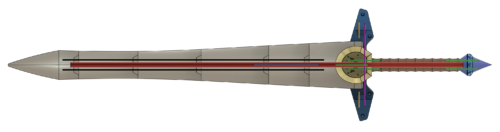
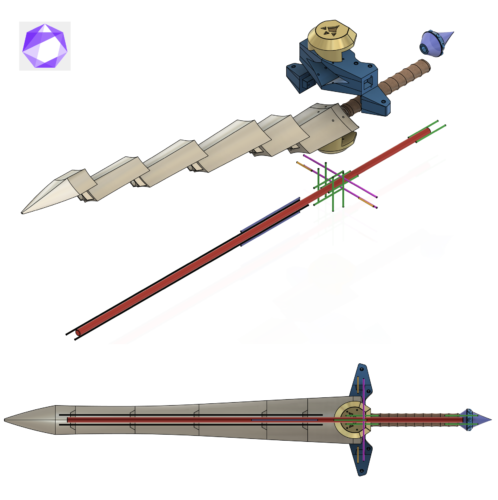
There are a lot of support rods for the Print It Yourself version, and I’d recommend making use of them all, owing to the size of the sword.
For the two black 800mm rods that flank the large primary support rod, I recommend using multiple smaller 4mm rods for ease. The holes are designed to accommodate either a couple of longer rods or multiple shorter ones, so whatever you prefer or have access to should be absolutely fine.
The support rods recommended for the Print It Yourself version are:
- One Red: 16mm * 1200mm
- Ten Green: 4mm * 100mm
- Two Purple: 4mm * 250mm
- Two Yellow: 4mm * 50mm
- Two Blue: 4mm * 200mm
- Two Black: 4mm * 800mm
Licence Type:
With my 3D files, you will also receive a non-transferable Creative Commons Licence. As standard, this will be the CC BY-NC-ND 4.0 licence, although other types are available upon request.
The “human-readable” version of the licence type can be found here.
I would like to highlight the Non-commercial part. “Non-commercial means not primarily intended for or directed towards commercial advantage or monetary compensation.” If you are using any designs of mine as part of your work (such as a cosplayer), then this is absolutely fine, and actively encouraged! Or perhaps you made an item a while back and now want to sell it on? You didn’t buy the item for the primary purpose of selling it on, again, this is absolutely fine!
However, if you are purchasing the STL files with a view in mind to sell the output, raw or finished? This will require a commercial licence.
Build and Assembly Information
Unique Build Information:
Other than the size of the sword and quantity of support rods, there’s really not a great deal of unique information or complexity about this build.
In both the Raw Build and the Print It Yourself versions, the broken blade is included.
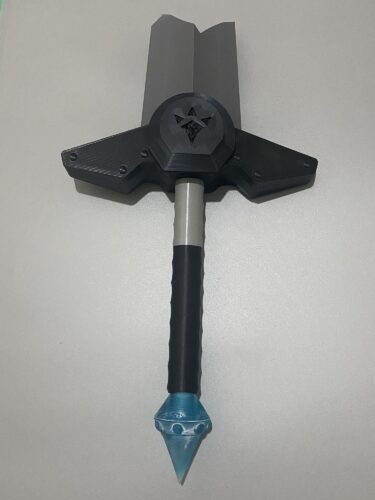
More so than usual, I’d recommend gluing the entire blade onto the primary support rod early in the build. This will make it a lot easier to work with, as this blade will take quite a bit of time.

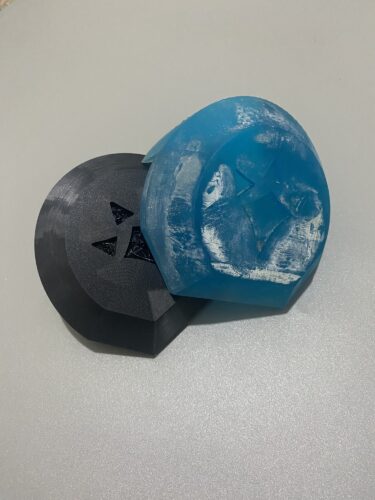
If you have access to the printing type, consider printing the Goron Crest and the pommel in an SLA printer.
Much like choosing your infill percentage for a build, choosing what material you use for the support rods is important, but as you scale up the size of the item it becomes critical. As always, it depends on the ultimate intended use, as something that will sit on a shelf will have different needs from something designed to be carried around and swung for a few hours.
Generally speaking, metal for strength at the cost of higher weight, or wood for lighter modes with fair durability. Steel tubing for the primary support rods is usually the best compromise.
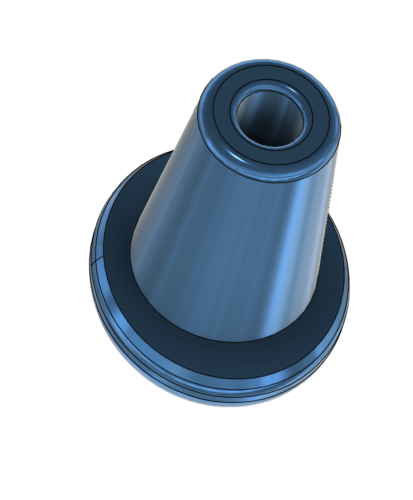
The underside of the studs have a 2.5mm hole. These are not for structural or support rod reasons, but to allow you to mount them on 2mm rods or toothpicks to make painting them a easier.
General Assembly Tips and Information:
- Small hand tools are used in the support removal and some small marks may be present on Raw Build kits
- Primary support rods are not included in most Raw Build Kits, as their length limits postage; these are best sourced locally
- Ensure you wear eye protection when removing support material, as it takes just the smallest amount of force to ding a shred of plastic into an eye
- Material colour is subject to change
- I remove the majority of the support material to check the part has printed properly and looks good.
- While I do remove the bulk of the support, I do not remove or clean the areas where the support was attached, and this will need attention
- Take more care when sanding any resin products, both in terms of waste material and the ease of accidentally ruining the finish
- I make all the holes for the support rod with an additional 0.5mm tolerance on the diameter, and 2mm on the length
- If the metal rods you have are quite shiny, I’d recommend a gentle sanding with low-grit sandpaper to help with glue adhesion
- All support rod holes on Raw Build Kits are drilled and checked with the correctly sized rod to ensure a good fit
- Consider lighter support materials, such as tubing or wooden dowel, if weight is a consideration. On a shelf? No issue. After eight hours of carrying it around? Every gram makes a difference
- For the Print It Yourself versions, I try and ensure that no single part is longer than 250mm, sometimes creative angling on the print bed may be required
- If you have a larger printer and would rather the files used in the Raw Build, feel free to message me before or after purchase
Thanks for reading!
If you enjoyed this, perhaps you would like to see another Project?
Love what you saw? Got a project in mind? Feel free to reach out and let me know!